Status at a glance
Clients log in and see where their job or case stands, in your own stages and wording, instead of emailing to ask for an update.
Use cases
We build client portals around the way your firm works, giving each client one branded login to follow their job, share documents, approve work, message your team and pay invoices, rather than chasing it all over long email threads.
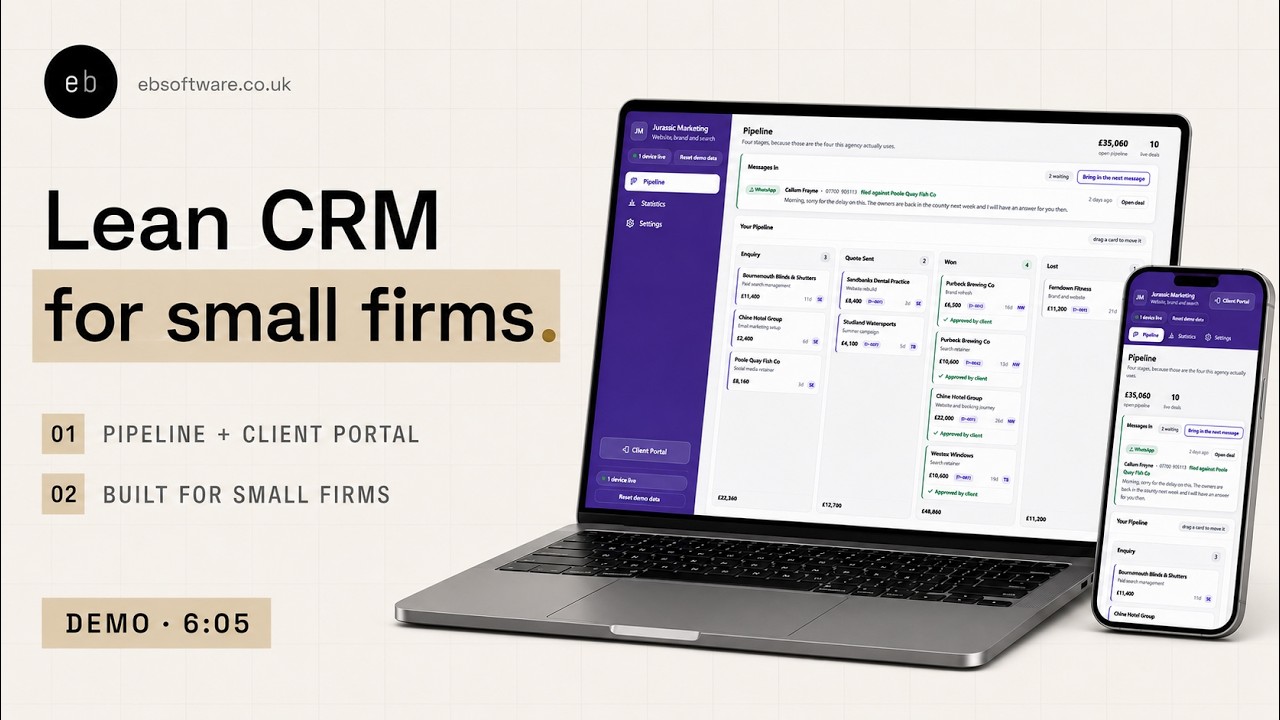 6:05
Client portal software gives each of your clients a private login where they can see the work you are doing for them and act on it, without sending an email to ask. For a service business, that usually comes down to five things:
If the idea is new to you, what is a client portal covers the basics. This page is about the decision that comes next: whether a ready-made portal tool will do, or whether an online client portal built around your own business is worth having.
The firms that get the most from a portal have ongoing relationships with a manageable number of clients, several steps on each job, and documents that need signing off. Their clients email to ask where things are because nobody has given them anywhere else to look.
Some sectors have rules of their own, and pages of their own: patient portals for clinics, investor portals for fund managers and landlord portals for letting agents. If your clients are mainly trade accounts checking orders, invoices and statements, that is a different shape of portal, covered under customer portal software.
Plenty of web portal software is sold as a ready-made product, and for many small businesses that is enough. The options include all-in-one client portal products such as SuiteDash, the customer-facing request area that comes with help desk products like Zendesk, and the portals built into many accounting and practice management packages. If your process is fairly standard, your clients mainly need to swap files, read messages and see invoices, and the tool’s layout makes sense to them, switch one on and see how your clients take to it. Our guide to bespoke vs off-the-shelf software sets out the wider trade-off.
A bespoke client portal earns its place when one or more of these is true:
Whichever route you choose, a portal competes with email, and email needs no password. Start with the thing clients most often ring or email about, and make it quicker to find in the portal than to ask.
A client portal puts your clients’ information online, so security is part of the design from the first conversation rather than a setting added at the end. What is built in:
The portal gives you the controls and the records. Meeting your duties under the UK GDPR, as set out by the Information Commissioner’s Office, still depends on your own policies and how your team uses it.
A client portal project starts with a free consultation, where we look at what your clients currently ask for, where that information lives and which systems the portal would need to reach. From that we write a fixed quote, with no obligation to go ahead. The build then runs in stages: a first version covering the questions clients ask most, tried out with a few of your own clients, then the parts that build on it, such as payments or deeper connections to other systems.
The login screen is the easy part. Cost depends on:
A read-only portal drawing on one system is a much smaller piece of work than one where clients approve, upload and pay across several. Our bespoke software cost guide explains the drivers in more detail, and bespoke portal development covers supplier, partner and member portals built the same way. Our London page shows a client portal we built alongside a bespoke CRM for a professional services firm, with the client’s name and details changed.
If your team spends its days sending status updates, chasing sign-offs and resending documents, contact us or call 01202 237027 for a free, no-obligation chat. We are based in Poole, Dorset, rated 5 stars on Google, and you get a fixed written quote before any work starts.
Clients log in and see where their job or case stands, in your own stages and wording, instead of emailing to ask for an update.
Quotes, drawings, contracts and reports are shared and approved through the portal, with a clear record of who signed off what and when.
The portal follows your workflow and carries your branding, and it can draw on the job, accounts and CRM systems you already run where they offer an API.
Still not sure? A free consultation is the quickest way to find out.
Talk to usThey overlap, but the emphasis differs. A client portal serves clients you work with on an ongoing basis, job by job or case by case, so depth matters, with status, documents, approvals and messages for each piece of work. A customer portal usually serves many trade or B2B accounts looking up orders, invoices and statements. We build both, and cover customer portals on a page of their own.
Security is designed in from the start. Each person signs in with their own login, permissions decide which clients, jobs and documents they can reach, data is encrypted in transit, and logins, downloads and approvals are logged. Because the portal is yours, you set who sees what and how long records are kept. Meeting your UK GDPR duties still depends on your own policies, and the portal gives you the controls and records to support them.
Where the system offers an API, yes. The portal can read invoices and balances from your accounts package, job status from your job system and contact details from your CRM, and write approvals or uploaded documents back, so a figure changes once and every screen reflects it. Where a system has no API, we look at exports or other routes during the consultation and tell you plainly what is possible.
Cost depends on what the portal connects to, how many types of user it serves and what clients can do behind the login, not on the login itself. A read-only portal drawing on one system is a smaller project than one where clients upload, approve and pay across several systems. There is no per-client licence fee for the portal we build. We give a fixed written quote after a free consultation, with no obligation.
The next step
Book a free consultation: thirty minutes, no jargon, no obligation. We’ll map out exactly what would help.